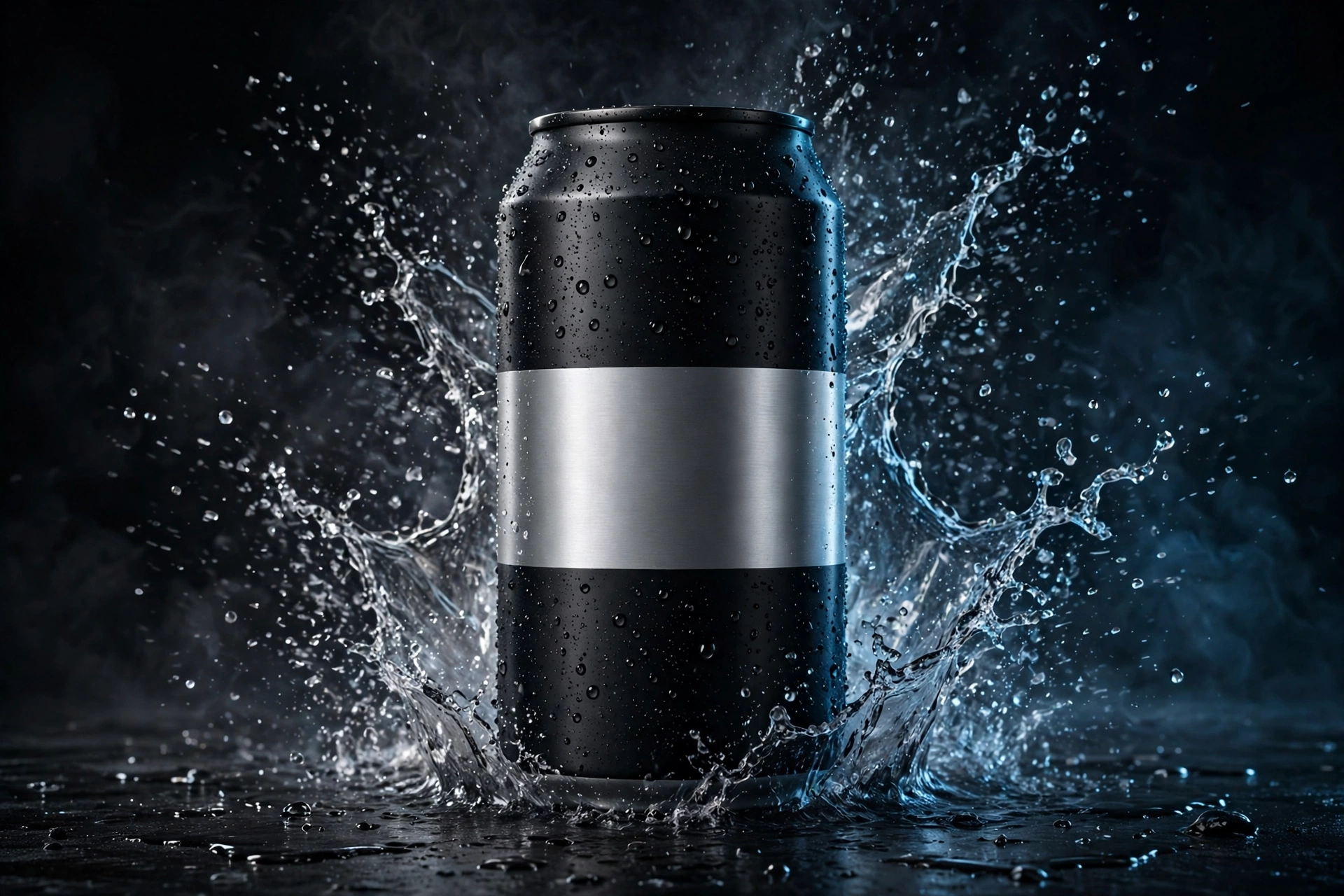
A single product photo used to be the end of the job. You took the picture, uploaded it to a product page, and hoped it was enough to make someone stop, look, and buy.
That same photo can now be the start of a film.
With the right AI product video prompt, one still image can become a short, cinematic ad: the camera pushes in slowly, light moves across the surface, water, smoke, or fabric reacts around the product, and for a few seconds an ordinary object looks like it belongs in a high-budget commercial. No studio. No camera crew. No full day of shooting.
But there is a catch, and it is the part most beginners learn the hard way. The tool does not make a weak idea cinematic. The prompt does.
Type “make this product look amazing” and you will usually get exactly what you asked for: something vague, unstable, and forgettable. The product may change shape. The label may melt into nonsense. The camera may wander with no purpose. The clip may look busy without ever looking premium.
A good prompt works differently. It reads less like a wish and more like a short set of directions to a camera operator, a lighting team, and an editor, all at the same time. It tells the model what must stay exactly the same, what should move, how it should move, and what the final shot should feel like.
That is what this guide will teach you. You will learn the seven parts of a strong prompt, see one complete copy-paste example, and follow a simple workflow from storyboard to finished clip. If you want to explore more prompts like this, start with our growing library in the AI Video Prompts category, where each prompt is built to be copied, adapted, and tested.
Why the Prompt Matters More Than the Tool
New AI video tools appear constantly, and it is tempting to believe the next tool will fix everything. A better model can help, of course. Newer tools generally follow instructions better and keep subjects more consistent than earlier ones. But even a capable tool can only work with the direction it is given.
Think of it this way. The product photo is your actor. The prompt is your director.
If the director gives no clear instructions, the actor improvises. In AI video, improvisation is where the problems begin: a bottle changes colour between frames, a logo stretches, a shoe gains an extra lace, or a watch face invents numbers that were never there.
Clear direction reduces that chaos. It does not remove the need to review and regenerate, because AI video is still an iterative process. What it does is move you from random results to repeatable results. And repeatable results are what turn a fun experiment into a skill you can use for your own brand, your clients, or your content.
The Anatomy of a Good AI Product Video Prompt
Every strong AI product video prompt is built from the same seven parts. You do not need fancy language. You need each part to do its own job, in a clear order.
A useful way to build your prompt is to write it in this sequence: lock the product first, then describe the camera, the light, the action, the environment, and the mood, and finish with what the model should avoid.
1. Product / Subject Lock
This is the most important part of the entire prompt, and it should come first.
The subject lock tells the model exactly what the product is and what must not change. Name the product clearly. Describe its shape, colour, material, and any visible text or branding area, and state plainly that these details stay consistent throughout the clip.
For example: “the same matte black aluminium energy drink can from the reference photo, with its silver logo panel unchanged, consistent shape, colour and proportions in every frame.”
Why does this matter so much? Because without a lock, the model treats your product as a rough suggestion. With a lock, it treats it as the hero of the shot. If your product has a label, a logo, stitching, a dial, or any detail your audience would recognise, name that detail here.
2. Camera Movement
Amateur AI clips often fail because the camera has no intention. It drifts, zooms too fast, or circles the product until the shot feels like a screensaver.
Give the camera one clear job per clip. Reliable choices include:
- A slow push-in from a medium shot to a close-up
- A smooth orbit around the product at a steady height
- A low-angle tracking shot moving past the product
- A gentle top-down move that settles into a hero shot
- A locked-off static shot where only the product and environment move
One move, done well, looks cinematic. Three moves in five seconds look confused. If you want a second angle, generate a second clip. That is how real ads are built anyway: shot by shot.
3. Lighting
Lighting is the difference between a product snapshot and a product ad. It is also the part beginners describe least.
Do not just write “good lighting.” Describe the source, the direction, and the quality of the light. For example: “soft window light from the left,” “a dramatic rim light outlining the edges of the can,” or “warm golden light reflecting across a dark surface.”
Lighting language that works well in product prompts includes:
- Cinematic rim light
- Soft diffused daylight
- Moody low-key lighting with deep shadows
- Bright, clean studio light on a seamless background
- Reflections moving slowly across glass, metal, or glossy packaging
If your product is premium, your lighting should feel controlled, not flat. Shadows are not the enemy. In luxury-style ads, shadow is often what makes the product look expensive.
4. Motion / Action
Now describe what actually happens in the shot. Keep it simple, physical, and believable.
Good action is usually small: condensation droplets sliding down a can, a sneaker rotating slowly on a platform, a watch catching light as it turns, fabric moving in a soft breeze, or a lid lifting to reveal what is inside.
Ask yourself one question before you write this part: could this happen in front of a real camera? If the answer is no, the model will struggle to make it look real. One clear action per clip keeps the physics believable and the product readable.
5. Environment
The environment is everything around the product, and it should support the product, never compete with it.
Name the setting, the surface, and any background elements. A dark stone surface with soft mist feels premium. A clean pastel studio background feels fresh and commercial. A marble counter with morning light feels calm and expensive.
Be specific, but keep the scene uncluttered. The more unrelated objects you invite into the frame, the more chances the model has to distort something. A simple environment also makes your product the obvious focus of the shot, which is exactly what an ad needs.
6. Style / Mood
This part tells the model what the finished clip should feel like. It is your creative direction in a few words.
Useful style phrases include “cinematic commercial style,” “luxury product film,” “minimal and modern,” “bold and energetic,” or “soft, calm and premium.” Add practical quality cues such as “photorealistic,” “sharp focus on the product,” and “smooth, stable motion.”
Keep your style words consistent with your lighting and environment. If you ask for a calm luxury mood but also request explosions, flashing lights, and frantic camera work, the model receives mixed signals, and mixed signals produce mixed results.
7. Negative Prompt
The negative prompt is your list of things to avoid. Many tools provide a dedicated negative prompt field. If yours does not, you can add a short “avoid” sentence at the end of your main prompt.
Common problems worth naming include:
- Distorted or changing product shape
- Warped, unreadable, or invented text and logos
- Extra objects, extra fingers, or duplicated products
- Flickering, jittery, or unstable motion
- Changing product colour or material
- Blurry or low-quality output
You will not prevent every error with a negative prompt, but you will prevent some of the most common ones, and you will spend less time regenerating clips for avoidable reasons.
A Complete Copy-Paste AI Product Video Prompt Example
Theory only helps so much. Here is one complete prompt you can copy, paste, and adapt. It is written for a fictional energy drink, so you can practise freely without using any real brand.
Use it with a clean front-facing photo of a drink can, ideally on a simple background with clear, even light.
Copy-paste prompt: “Cinematic product video of the same matte black aluminium energy drink can from the reference photo, branded ‘NOVA FIZZ’ in clean silver lettering, product shape, colour, logo and proportions locked and unchanged in every frame. Slow camera push-in from a medium shot to a close-up, at a low angle. Dramatic cinematic rim light outlines the edges of the can, with cool blue reflections moving across its metal surface. Fine mist drifts behind the can and small water droplets slide slowly down its cold surface. The can stands on wet dark stone, with a dark, moody background and soft depth of field. Luxury energy drink commercial style, photorealistic, sharp focus, smooth and stable motion. Avoid: distorted can shape, warped or misspelled text, changing logo, extra cans, flickering, jitter, colour changes, blur.”
Notice what this prompt is doing. It does not ask for five scenes at once. It asks for one shot, with one camera move, one action, and one mood. That focus is deliberate.
It also names the product twice in effect: once in the subject lock, and again in the negative prompt. That repetition is not keyword stuffing. It is insurance for the detail your audience will look at first.
Once this base version works, change one element at a time. Swap the mist for splashing water. Swap the push-in for a slow orbit. Swap the cool blue light for warm gold. Each small change gives you a new variation while keeping the product, and your results, under control.
For more ready-made prompts organised by product and style, browse the AI product ads and prompt examples we publish alongside this guide.
Step-by-Step Workflow: From One Photo to a Finished Ad
A prompt is stronger when it is part of a workflow, not a one-off guess. This is the simple process behind the product ad reels on our Instagram, broken into four steps.
Step 1: Plan a Storyboard With a Chatbot
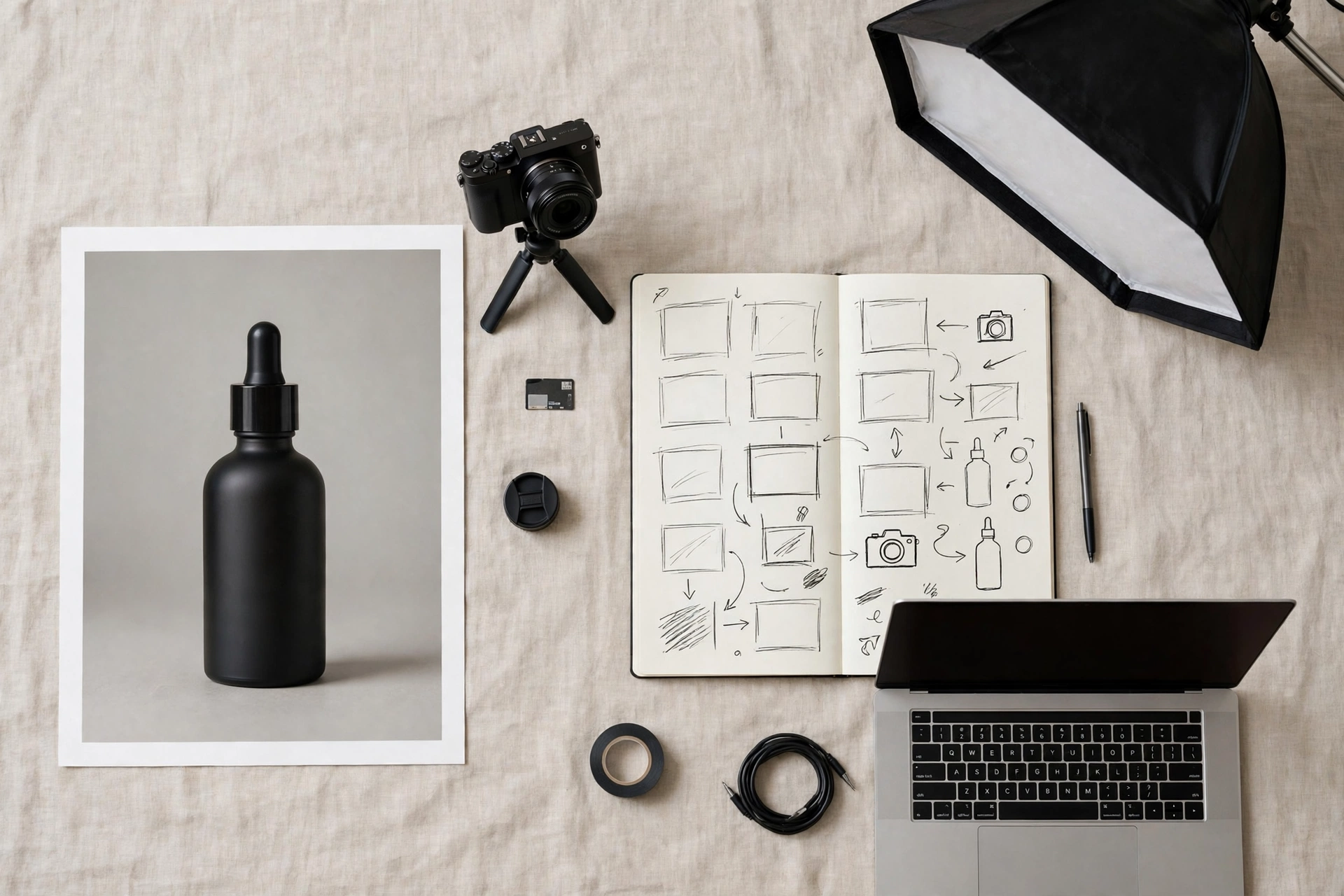
Before you open any video tool, decide what your ad actually shows. A short ad usually needs only three to five shots: an opening hero shot, a detail close-up, one movement or reveal shot, and a final hero shot to close.
A chatbot such as ChatGPT can help you plan this quickly. Describe your product, your audience, and the mood you want, then ask for a simple shot list. For each shot, note the camera move, the lighting, and the action. You are not looking for poetry here. You are looking for a clear plan you can turn into prompts, one shot at a time.
This planning step also saves you credits and time later, because you generate shots you already know you need, instead of generating random clips and hoping they fit together.
Step 2: Build a Multi-Angle Product Reference Sheet
Most AI video tools work from a starting image, and the quality of that image shapes everything that follows. A single flat product photo can work, but a reference sheet works better.
A product reference sheet is a small set of clean views of the same product: front, side, back, and a close-up of the label or key detail. Some creators generate these extra angles with an image tool, using their original photo as the reference, then check each angle carefully for errors before using it.
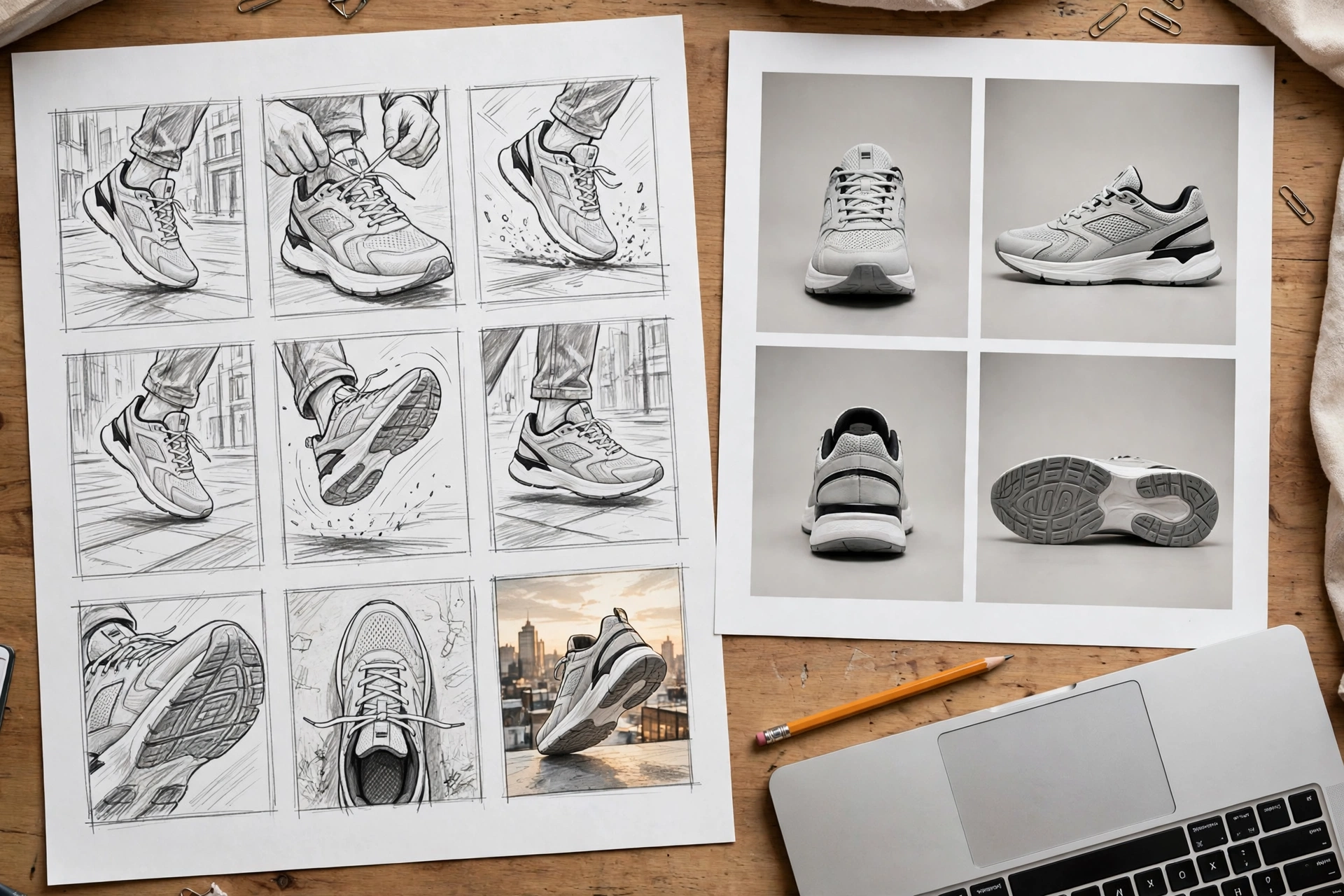
Whichever way you build it, apply one rule: never build a video on a reference image that already has mistakes. If the logo is wrong in the still image, it will almost certainly be wrong in the video too. Fix the still first. It is always cheaper than fixing the film.
Step 3: Generate the Video
Now take your storyboard, your best reference image, and your prompt into your video tool. Tools differ in their settings and strengths, and features change often, so work with what your chosen tool offers today rather than following old screenshots.
As one example, Google Flow is Google’s official AI filmmaking tool, built for creating cinematic clips and scenes from text and image inputs. Whatever tool you use, the working method is the same:
- Upload your cleanest product image or reference frame.
- Paste your prompt for shot one only.
- Add your negative prompt if the tool provides a field for it.
- Choose a vertical format if the ad is for Reels, Shorts, or TikTok, or a horizontal format for YouTube and websites.
- Generate, then watch the full clip before generating the next shot.
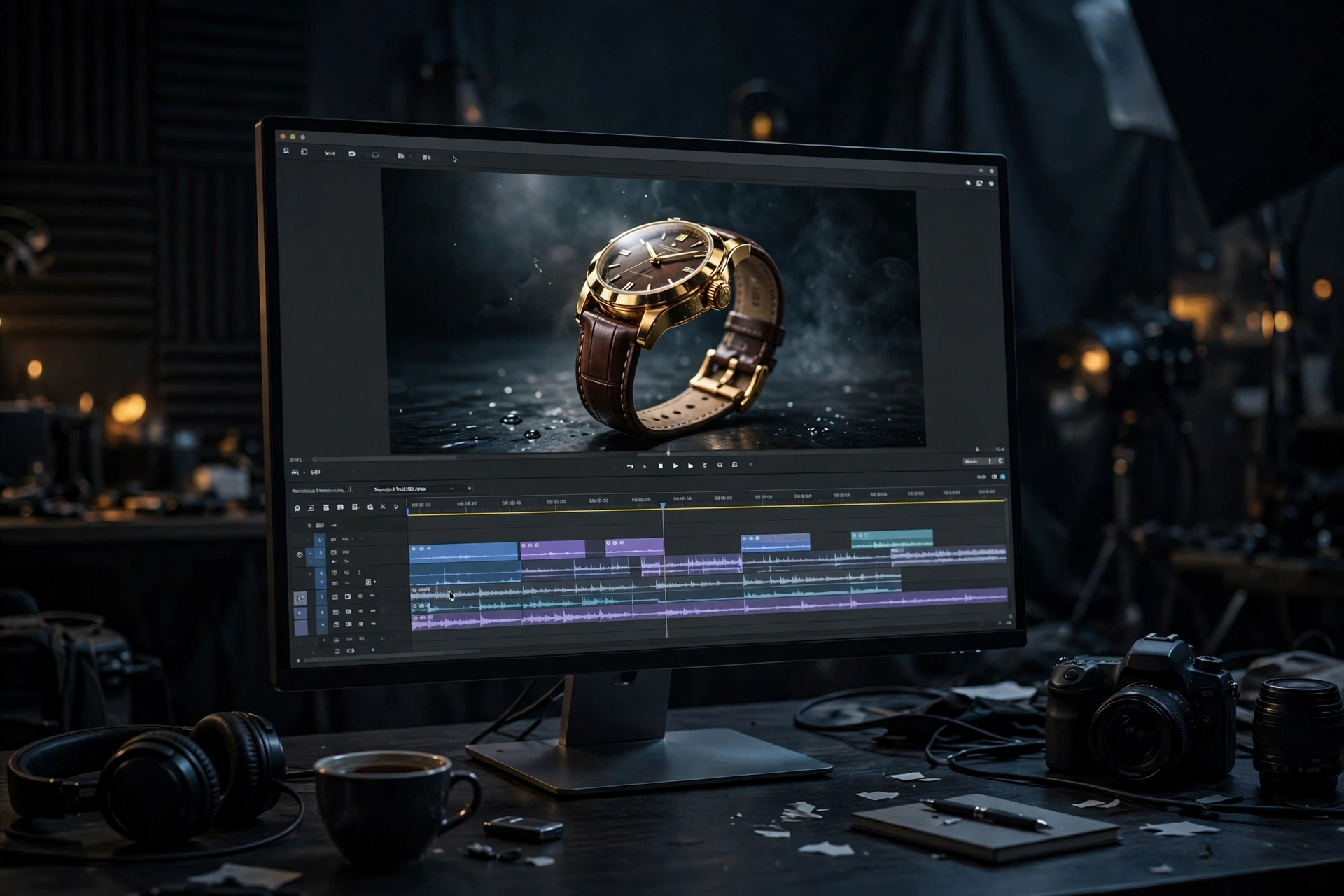
Resist the urge to generate all your shots at once before reviewing anything. Your first clip will teach you something about how the tool reads your prompt, and that lesson will improve every clip after it.
Step 4: Review and Fix
Watch each clip like an editor, not like a fan. Pause on the product. Check the label. Check the shape at the start of the clip against the shape at the end. Look for flicker, melting details, and background objects that appear or vanish.
Then fix problems in the cheapest order:
- Prompt problem? Clarify the subject lock, simplify the action, or strengthen the negative prompt, then regenerate.
- Reference problem? Go back to your still image and correct it before trying again.
- One bad moment? Trim it in your editor. A strong three seconds is worth more than a flawed six seconds.
- Random failure? Regenerate the same prompt once. AI generation varies from run to run, and sometimes the second attempt is simply cleaner.
Keep notes on what worked. The prompts, settings, and reference images behind your best clips become your personal library, and that library is what makes your next ad faster than your last one. For a deeper walkthrough of this process, see our tutorials and workflows for AI product ads.
How to Adapt the Prompt for Other Products
The seven-part structure never changes. Only the details change. Here is how to adapt the same framework for four of the most common product types.
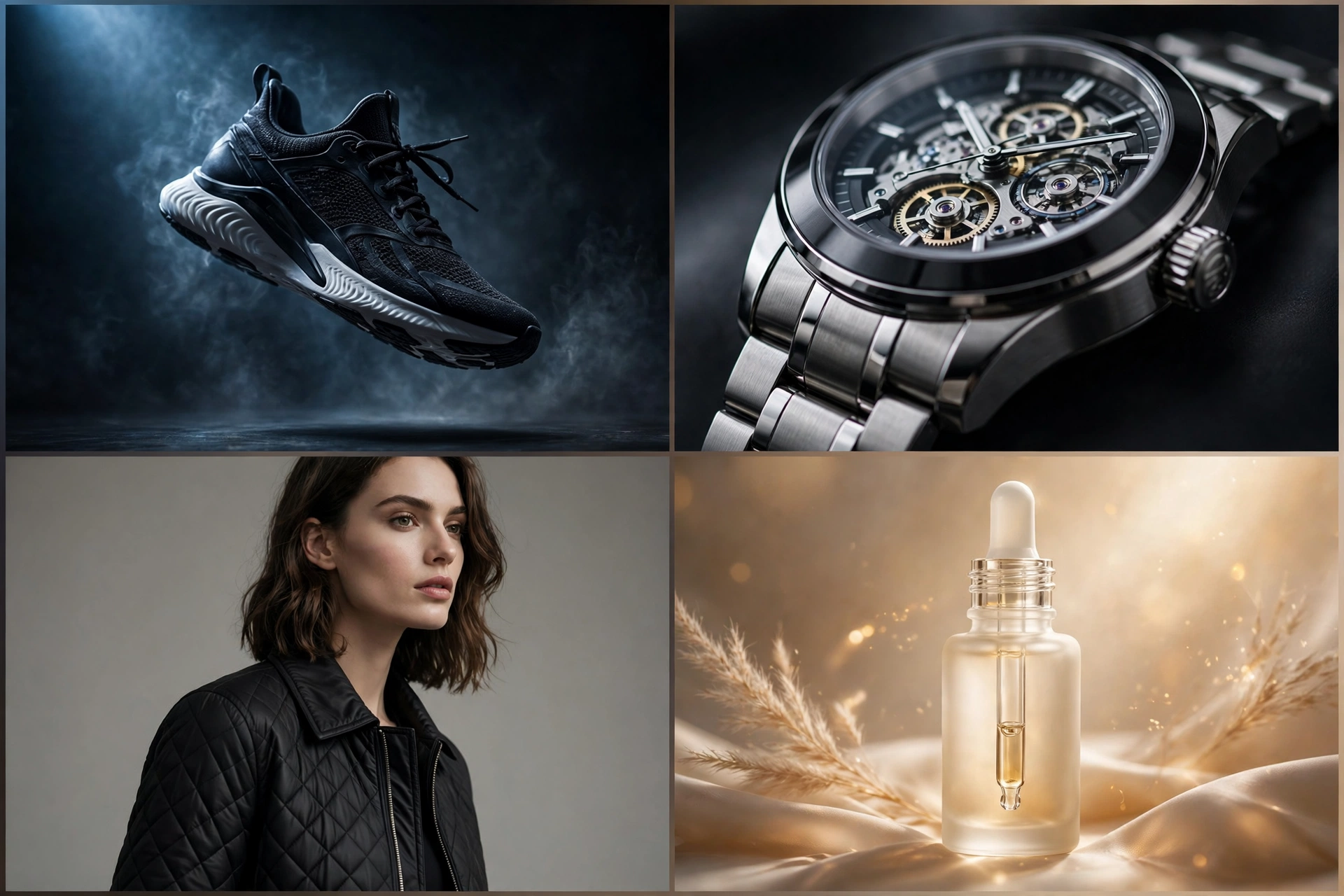
Sneakers
For sneakers, the subject lock must protect the silhouette, the colourway, the laces, and any logo placement. Sneaker audiences notice details instantly, so name them.
Good camera choices include a low tracking shot along the shoe, a slow rotation on a clean platform, or a close push-in on texture and stitching. Strong actions include the shoe landing softly, laces settling, or light sweeping across the material. Avoid prompts that bend the shoe unnaturally or change its sole shape mid-clip.
Watches
Watches are about precision and reflection. Lock the dial, the hands, the case shape, and the strap material. State that the time and markings on the dial stay unchanged, because AI models love to invent numbers.
A slow macro push-in works beautifully here, as does a gentle turn that lets light travel across the glass and metal. Keep the environment dark, clean, and minimal. With watches, restraint reads as luxury.
Fashion
For clothing and fashion items, lock the garment type, fabric, colour, pattern, and fit. If a model is wearing the item, also describe keeping the same person, outfit, and proportions consistent throughout the clip.
Fabric movement is your best action: a soft breeze, a slow walk, or a gentle turn. Lighting should flatter the material, so describe how light falls on the fabric rather than just asking for a bright scene. Avoid fast spins and complex poses, which are where clothing details tend to fall apart.
Beauty Products
For skincare, cosmetics, and fragrance, lock the bottle or jar shape, the cap, the label, and the product colour. These products sell a feeling as much as a function, so mood and environment carry extra weight.
Morning light, clean marble or stone surfaces, water, leaves, and soft shadows all suit beauty ads well. Gentle actions include a droplet falling, cream texture swirling in a close-up, or light moving across glass. Keep text protection strict in your negative prompt, because beauty labels are detailed and errors show quickly.
Common Mistakes and Fixes
Most failed AI product ads fail for the same handful of reasons. Here are the ones that matter most, and how to fix each one.
- Mistake: The prompt is too vague. “Make it look premium” gives the model nothing to act on. Fix: Describe the camera, light, action, and mood in plain, specific words.
- Mistake: Too many actions in one clip. Orbiting, splashing, spinning, and zooming at once produces chaos. Fix: One camera move and one action per clip. Build your ad from several clean shots.
- Mistake: No subject lock. The product slowly becomes a different product. Fix: Open your prompt by naming the product, its details, and what must stay unchanged in every frame.
- Mistake: Ignoring the reference photo. A messy, dark, or low-quality starting image produces a messy video. Fix: Start from your cleanest product image, and correct errors in the still before generating.
- Mistake: Forgetting text and logos. Invented lettering is the fastest way to make an ad look fake. Fix: Name the label in your subject lock and add warped or misspelled text to your negative prompt.
- Mistake: Accepting the first result. Your first generation is a draft, not a deliverable. Fix: Review frame by frame, adjust one thing at a time, and keep the prompts that work.
Frequently Asked Questions
What is an AI product video prompt?
An AI product video prompt is the written instruction you give an AI video tool to turn a product image, or a text description, into a short video clip. A good one describes the product, the camera movement, the lighting, the action, the environment, and the style, plus a short list of errors to avoid. The clearer the prompt, the more consistent and professional the result.
Can I make an AI product ad from just one photo?
Yes. One clean product photo is enough to start, and it is how many short AI product ads begin. For better consistency, many creators first build a small reference sheet with extra angles of the same product, then use the strongest frame as the starting image for each video shot.
Why does my product change shape or colour in AI videos?
This usually happens because the prompt does not lock the subject clearly, the reference image is weak or inconsistent, or the clip asks for too much movement at once. Strengthen your opening subject lock, simplify the action, use a cleaner reference image, and add shape and colour changes to your negative prompt.
How long should an AI product video prompt be?
Long enough to cover the seven parts in this guide, and no longer. For most product shots, that means a focused paragraph rather than a page of text. Every sentence should direct something specific: the product, the camera, the light, the action, the setting, or the mood. If a sentence does none of those jobs, cut it.
Do I need a paid AI video tool to make product ads?
Not necessarily to learn and practise. Many tools offer some form of free access, trial, or limited plan, although features, quality, and usage limits vary and change over time. Start with whatever access you have, learn the prompting workflow in this guide, and only pay for a tool once you know it fits the kind of ads you want to make.
Conclusion
A cinematic AI product ad is not an accident, and it is not really about finding a magic tool. It is about giving clear direction.
Lock your product. Give the camera one job. Describe your light. Keep the action simple and physical. Build a clean environment, set one mood, and tell the model what to avoid. Then work shot by shot: storyboard first, reference sheet second, generate third, and review like an editor.
Start with the energy drink prompt in this guide, change one element at a time, and save every version that works. Within a few sessions, you will not just have a few good clips. You will have a repeatable system for turning any product photo into an ad.
Want to see this workflow in action? Follow @thefhd.ai on Instagram, where we share AI luxury product video ads and the prompts behind them, and learn more about who we are and what we publish on our About Us page. Then come back, pick your next product photo, and direct your first shot.
2 thoughts on “AI Product Video Prompt: Turn One Product Photo Into a Cinematic Ad”